
If your system did not receive an API callback from CoinGate, or your integration returned a 4xx/5xx response, you can re-send the callback yourself using the Callback Testing tool in the Account Dashboard.
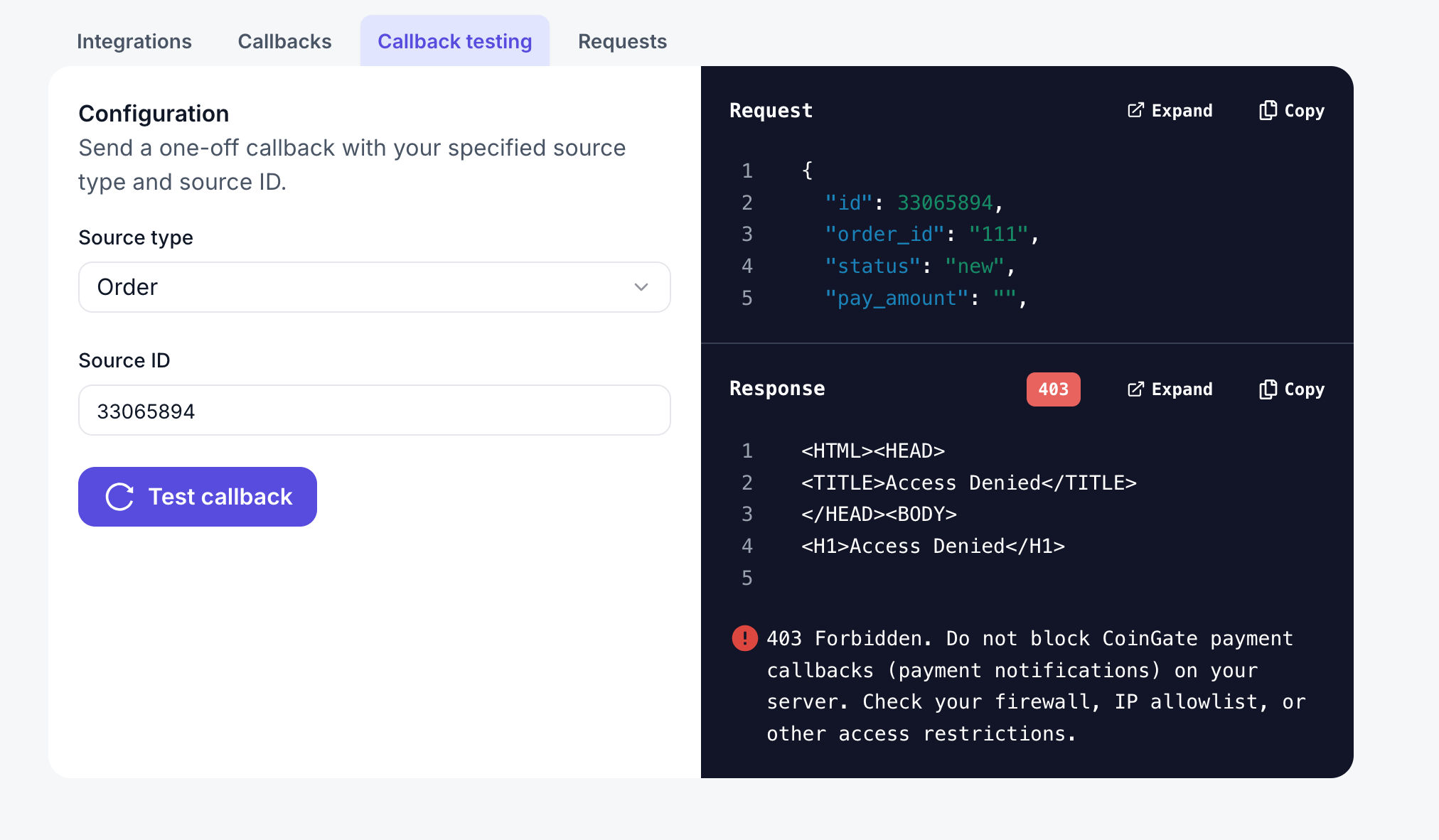
How to manually re-send a callback
You can re-send the callback yourself in just a few steps:
- Log in to your Account Dashboard
- Navigate to: Integrations → API Management → Callback Testing
- Select the event type (Order, Refund, Payout, Billing)
- Click “Test Callback”
- Check your server logs or the tool’s display for the request and response details.
The tool sends the latest real callback payload, identical to what CoinGate would deliver normally.
More Technical Details
For a full description of API callbacks—including structure, common issues, retry policy, code examples—see the official API documentation.
👉 API Callbacks Documentation
https://developer.coingate.com/reference/api-callbacks